
I²S oscilloscope software

Triggering and decoding

I²S oscilloscope software
Mostrar mais detalhes
I²S oscilloscope software
Mostrar mais detalhes

Key Facts

  • Bus setup in seconds with the app cockpit
  • Hardware-based triggering & decoding to find errors faster
  • Supports I²S standard, left justified, right justified and TDM signals
  • Trigger on data, window, frame condition, word select or various error conditions
  • Fast eye-diagram mask testing with up to 600 000 waveforms/s
  • Multidomain icon

Oscilloscope software

All Rohde & Schwarz oscilloscopes support triggering and decoding of the I²S audio standard, left and right justified and TDM signals. You can set up decoding in seconds. For analysis, results can be viewed as color-coded telegrams and in a table. Errors are identified by the hardware-accelerated trigger. You can trigger on data, window, frame condition, word select and various error conditions.

Features & benefits

Fast bus setup

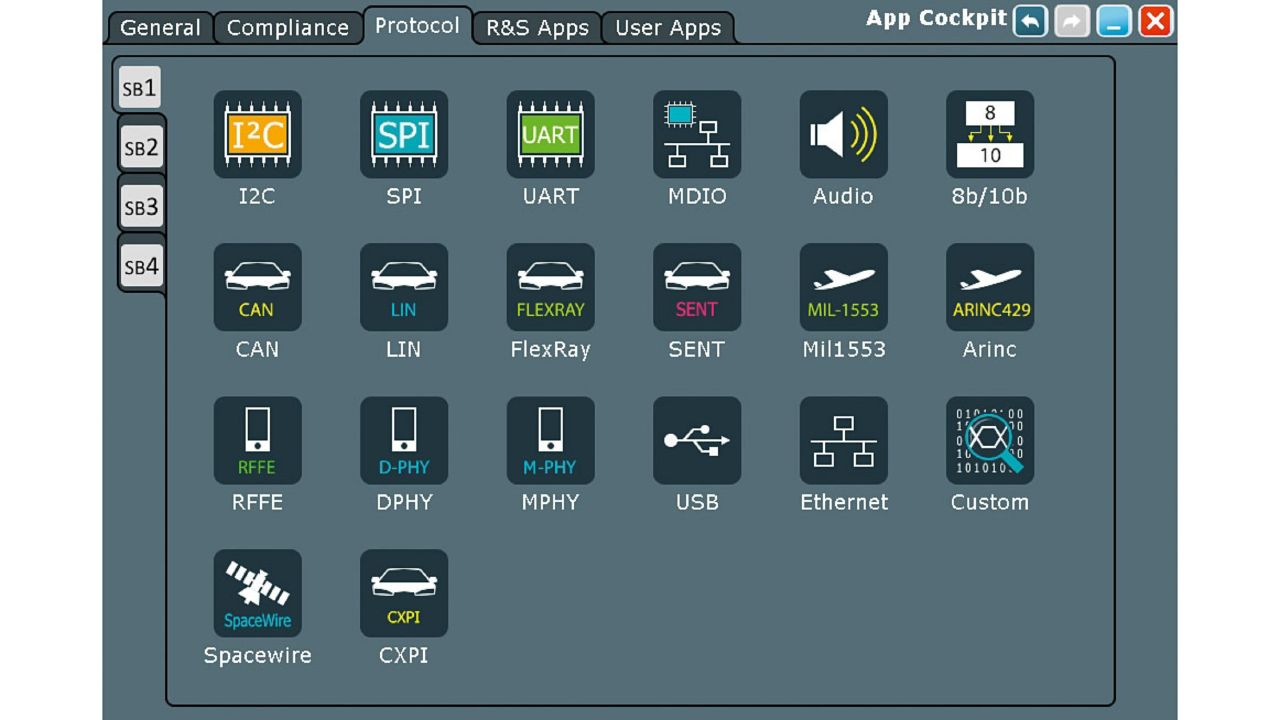
Bus setup in seconds with the app cockpit

Starting from the app cockpit, it only takes a few steps to configure any given protocol. Once the bus to decode has been chosen, the connected channels selected and the correct levels set, decoding begins automatically.

Mostrar mais detalhes

Bus decoding selection with the app cockpit.

Supports I²S standard, left justified, right justified and TDM signals

You can use the R&S®RTx-K5 option to decode the most common I²S audio signals, left justified, right justified and TDM.

Mostrar mais detalhes

Decoded frames are color-coded.

Color-coded telegram display

Telegram display as color-coded bus signals and in decode table

You can analyze the decoded bus frames by overlaying the signal with color-coded data. Address and data content can be displayed in hex, bin or ASCII format. You always have the best overview with the flexible screen setup. The telegrams can also be displayed in a concise table.

Mostrar mais detalhes

Decoded frames are color-coded.

Strong trigger capability

Strong trigger capability on data, window, frame condition, word select and various error conditions

The protocol-specific trigger lets you reliably isolate protocol events and errors. Thanks to high acquisition rates, Rohde & Schwarz oscilloscopes are ideal for finding errors quickly, allowing decoding of protocol-specific trigger results. The hardware-based triggering is available on specific protocol content, e.g. addresses, data and protocol errors.

Mostrar mais detalhes

Protocol trigger setup dialog.

Search and navigate in recorded acquisitions

Powerful search and navigate capability

Comprehensive search functions simplify the analysis of long signal sequences. You can search for waveforms based on different criteria, such as signal faults or protocol content. All detected events are shown in a table with timestamps. The individual events can be examined in a zoom window with simple navigation between events.

Mostrar mais detalhes

Powerful searching, even in long recordings

Available models

Peça informações

Do you have questions or need additional information? Simply fill out this form and we will get right back to you.
For service/support requests, please go here to log in or register.

Licença de marketing

O seu pedido foi submetido. Iremos contactá-lo em breve.
An error is occurred, please try it again later.